
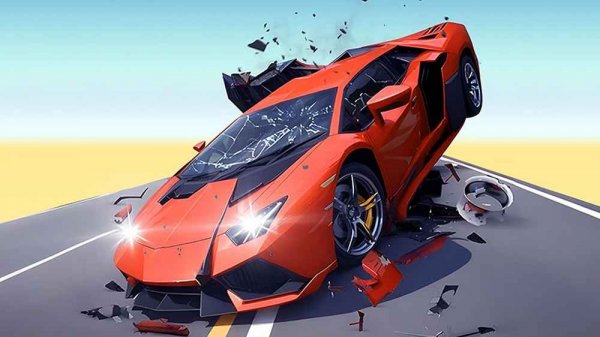
Velocity Rush: Precision Driving Challenge
Review
Velocity Rush stands out for its responsive vehicle handling and thoughtful level design. The open world areas encourage exploration, while the obstacle courses provide focused challenges. Playing with a friend on the same keyboard is surprisingly smooth and adds a cooperative layer that many driving games lack. The car customization options are a nice touch, allowing for personal expression. It is a well-rounded driving experience that rewards skill and creativity without any paywalls or intrusive ads.
Full story
Core Driving Mechanics
Velocity Rush puts a strong emphasis on vehicle handling and momentum. The game simulates realistic weight transfer and traction, which means every turn, jump, and landing requires careful throttle and steering input. Players quickly learn that smooth inputs lead to better control, especially when transitioning between different surfaces. The physics model rewards patience and practice, making each successful maneuver feel earned.
Open World and Track Environments
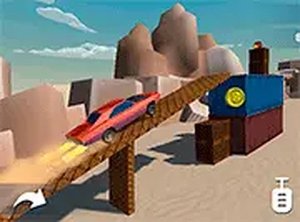
The game presents several distinct areas to drive through, each with its own visual theme and driving conditions. From winding forest paths to coastal roads and desert stretches, the environments are designed to test a driver's ability to adapt. Time trial courses add a layer of structure for those seeking to improve their lap times. The open world sections allow for free exploration without strict objectives, giving players room to experiment with car behavior at their own pace.
Vehicle Selection and Customization
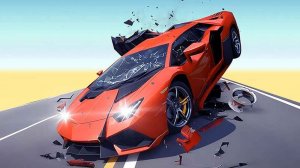
A garage offers a range of high-performance car models, each with unique handling characteristics. Players can choose a vehicle that matches their driving style, whether they prefer sharp cornering or raw acceleration. Visual customization options let drivers personalize their cars, adding a layer of expression to the experience. The variety in car stats encourages trying different vehicles for different challenges.
Multiplayer and Cooperative Play
Velocity Rush supports both single-player and two-player modes. In two-player mode, each person controls their own car using separate keyboard controls. This setup works well for cooperative obstacle navigation or friendly competition on the same screen. The shared screen experience makes it easy to play with a friend without needing additional hardware or accounts.
Obstacle Courses and Creative Freedom
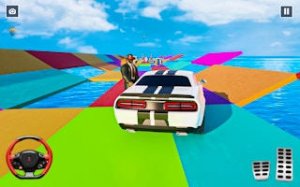
Special challenge areas feature obstacles that require precise timing and control to pass. These sections test a driver's ability to navigate tight spaces and avoid hazards. A free-form mode removes all objectives, letting players drive without pressure. This mode is ideal for practicing techniques or simply enjoying the sensation of high-speed driving in an open setting.
Visual and Audio Presentation
The game uses a 3D visual style with attention to lighting and reflections on car bodies. Environments are detailed enough to feel immersive without overwhelming the player. The camera can be adjusted to different angles, including an interior view that puts the driver inside the cockpit. Sound effects focus on engine notes and tire grip, providing audio cues that help with driving decisions.



Reader Comments
Sign in to comment
You must be logged in before posting a review or rating.
No account? Create one
No comments yet. Be the first to comment!