

Kitty's World Adventure Platformer
Review
Kitty's World Adventure Platformer offers a wholesome and engaging experience for casual gamers. The colorful visuals and easy controls make it accessible to children and adults alike. Levels gradually increase in difficulty, providing a satisfying challenge without frustration. The game runs smoothly on any device and requires no downloads, making it perfect for quick breaks. It is a refreshing, non-violent adventure that emphasizes timing and exploration.
Full story
Game Introduction
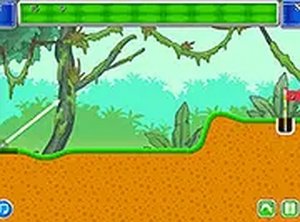
Kitty's World Adventure Platformer is a charming browser-based game that invites players to guide a small and courageous kitty through a series of colorful levels. The core objective is straightforward: help the kitty find and collect tasty food items scattered throughout each stage. Every level is filled with platforms to jump on and obstacles to navigate, creating a gentle but engaging challenge for players of all ages. The game is designed to be accessible and wholesome, with no violent elements or complicated mechanics. It runs directly in your browser without any downloads, and it works seamlessly on both desktop and mobile devices. Players can also switch to full-screen mode for a more immersive experience. Whether you are a casual gamer looking for a quick break or a platformer enthusiast, this game offers a delightful adventure that emphasizes timing, exploration, and simple fun.
How to Play
Playing Kitty's World Adventure Platformer is easy to learn. Players typically use arrow keys or on-screen controls to move the kitty left or right and to jump between platforms. The main goal is to collect as much food as possible while avoiding obstacles that block the path. Timing jumps carefully is important for reaching higher platforms and accessing tricky areas. The game gradually increases in difficulty, introducing new challenges as players progress through the levels. There are no complicated rules or violent actions, making it suitable for the whole family. No sign-ups or downloads are required, so you can start playing instantly. For a better view, you can expand the game window to full screen. Practice your jumps, stay focused, and help the kitty gather every tasty treat.
Game Features
Game features include cute and colorful graphics that appeal to players of all ages, simple controls that are easy to learn, and fun platforming action that keeps players engaged. The game runs smoothly in any browser and supports full-screen mode for an enhanced experience. It is free to play with no downloads or registrations required, making it accessible to everyone. The levels are designed to be progressively challenging, offering a satisfying sense of achievement as players improve their skills. The overall experience is family-friendly and focuses on positive, non-violent gameplay.
Tips for Success
To succeed in Kitty's World Adventure Platformer, focus on timing your jumps carefully to reach higher platforms and avoid obstacles. Practice each level to learn the layout and improve your reflexes. Collect as much food as possible to maximize your score. Stay patient and keep trying, as the game gradually introduces new challenges. Taking short breaks can help maintain concentration during longer sessions.









Reader Comments
Sign in to comment
You must be logged in before posting a review or rating.
No account? Create one
No comments yet. Be the first to comment!