What players say
Voxel Blaster Team Challenge offers a refreshing take on team-based action with its colorful voxel graphics and strategic limited ammo system. The game emphasizes teamwork and precision, making each match engaging. Multiplayer servers allow you to play with friends, and the browser-based play means no downloads. It is a great choice for casual and competitive players alike.
About this game
Game Introduction
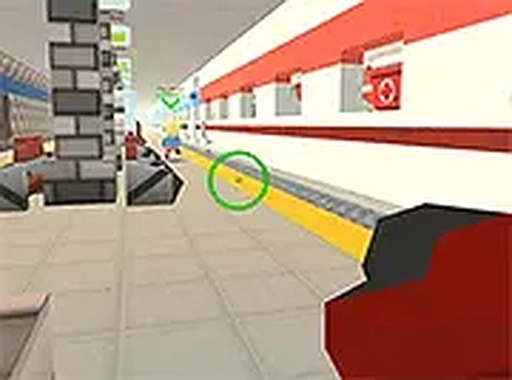
Voxel Blaster Team Challenge is a lively team-based game that brings a fresh twist to the genre with its vibrant voxel graphics. In this game, you join one of two teams and compete in fast-paced matches. The key to victory is smart resource management, as your ammo is limited. You must aim carefully and use each shot wisely to overcome opponents and lead your team to success. The game offers an engaging multiplayer experience where you can challenge your friends to join your server and compete against you. With its colorful blocky style and straightforward gameplay, this game is perfect for players looking for a lighthearted yet competitive challenge. You can play it directly in your browser, making it easy to jump into action without any downloads. For those who enjoy voxel-based games, this title stands out as a fun option that emphasizes teamwork, strategy, and precision.
How to Play
To play Voxel Blaster Team Challenge, use your keyboard and mouse on a desktop computer. Move your character with the WASD keys, aim with the mouse, and click to blast. Since ammo is limited, you need to conserve your shots and only fire when you have a clear target. Join a team and work with your teammates to outsmart the opposing side. You can also create or join a server to play with friends. The game runs in your browser, so no installation is needed. For a more immersive experience, switch to full screen mode. Remember to collect ammo pickups when available and stay alert to avoid enemy fire. Practice your aim and movement to become a top player in this voxel world.
Game Features
Voxel graphics, two-team battles, limited ammo strategy, multiplayer servers, full screen mode, free browser play.
Tips for Success
Focus on accuracy rather than rapid fire, as ammo is limited. Work closely with your teammates to coordinate attacks and cover each other. Learn the map layout to find ammo pickups and advantageous positions. Practice your aim regularly to improve your shot efficiency. Stay mobile to make yourself a harder target for opponents.