
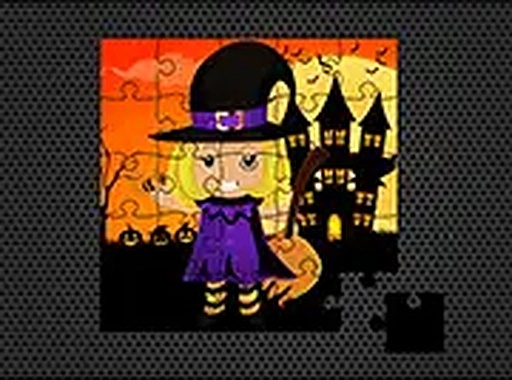
Autumn Puzzle Challenge
Review
Autumn Puzzle Challenge stands out for its straightforward approach to the jigsaw genre. The six images are well-chosen to evoke a cozy seasonal feeling, and the ability to adjust piece counts gives it lasting appeal. The lack of timers and the smooth touch support make it a genuinely relaxing option for puzzle fans. It avoids unnecessary frills, focusing instead on a polished core experience that works equally well on a phone or a desktop. This is a solid choice for anyone seeking a low-pressure puzzle activity.
Full story
Picture Assembly Basics
At its core, this game revolves around reconstructing full images from scattered fragments. Each of the six available pictures presents a distinct scene, and players work to fit the pieces together. The drag-and-drop interface makes the process straightforward, allowing users to focus on the visual challenge rather than complex controls. This simplicity ensures that anyone, regardless of prior puzzle experience, can start playing immediately.
Visual Theme and Atmosphere
The selected images draw from common autumn motifs, such as pumpkins, friendly scarecrows, and colorful foliage. These visuals are designed to be appealing without being overly complex, striking a balance between detail and clarity. The overall aesthetic aims to create a warm and inviting mood, which complements the relaxed pace of the gameplay. Each completed puzzle reveals the full artwork, providing a sense of accomplishment.
Difficulty Options and Play Style
Players can choose from different piece counts, which affect the complexity of each puzzle. Starting with fewer pieces helps newcomers get comfortable with the mechanics, while larger counts offer a more substantial challenge for those seeking it. There is no timer or pressure, so each session can be as long or as short as the player desires. This flexibility makes the game suitable for both quick sessions and extended play.
Device Compatibility and Accessibility
The game runs directly in a web browser, meaning no downloads or installations are required. It works on desktop computers, tablets, and mobile phones, adapting to different screen sizes. A full-screen mode is available to minimize distractions. The interface remains consistent across devices, ensuring a smooth experience whether using a mouse or touch input.
Progression and Collection
Completing each puzzle adds it to a personal collection, giving players a visual record of their progress. There are six images to unlock and assemble, providing a clear goal without overwhelming the player. This gradual unlocking encourages continued play while maintaining a low-stakes environment. The collection feature adds a light layer of motivation beyond simply finishing each puzzle.








Reader Comments
Sign in to comment
You must be logged in before posting a review or rating.
No account? Create one
No comments yet. Be the first to comment!