
Peak Road Control
Review
Peak Road Control offers a focused driving experience that emphasizes precision over speed. The stages are well-designed, with a gradual difficulty curve that lets you build confidence. The free exploration mode is a nice addition for players who want to learn the roads without pressure. Upgrading your vehicle adds a satisfying layer of progression. The controls are responsive, and the full-screen view helps with navigation. It is a solid choice for anyone looking for a simple, engaging driving game.
Full story
Road Design and Driving Feel
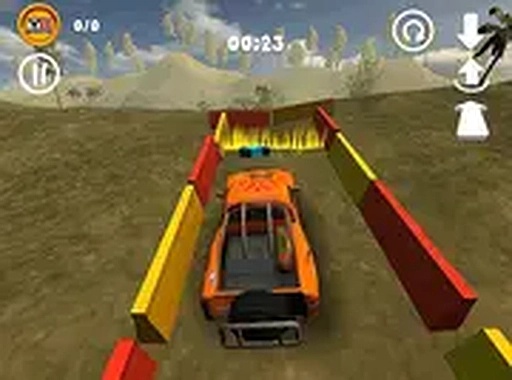
Peak Road Control places you behind the wheel on steep, winding roads that climb through mountainous terrain. The paths are narrow and lined with barriers that require careful steering to avoid. Each road section presents a new arrangement of turns and obstacles, keeping the driving experience fresh. The controls respond to keyboard inputs, giving you direct command over acceleration, braking, and steering. The full-screen view helps you spot upcoming hazards and plan your path.
Progression Through Stages
The game includes a series of driving challenges that grow more demanding as you advance. Early roads are relatively straight with few obstacles, letting you get comfortable with the handling. Later stages introduce sharper curves and more tightly spaced barriers, testing your ability to maintain speed while avoiding damage. Completing each stage unlocks the next, creating a clear sense of progress. The difficulty curve is steady, so you have time to build your skills before facing the toughest routes.
Free Exploration Mode
For those who prefer a less pressured experience, a free exploration mode lets you drive around the mountain landscape without time constraints. This mode is ideal for learning the layout of each area, practicing tight turns, and locating hidden collectibles. There is no penalty for taking your time, making it a good way to gather resources for vehicle upgrades. The open environment encourages you to experiment with different driving lines and discover shortcuts.
Vehicle Customization and Upgrades
As you collect items during your drives, you can visit the upgrade shop to improve your vehicle. Options include enhancing handling for better cornering, increasing top speed for faster stage completion, and reinforcing durability to withstand more impacts. These upgrades are purchased with the items you gather, giving you a reason to explore thoroughly. Investing in the right upgrades can make a noticeable difference on the more difficult roads.
Controls and Accessibility
Peak Road Control is designed for desktop play with keyboard and mouse. The arrow keys or WASD control steering and acceleration, while additional keys handle braking and other functions. The interface is straightforward, with on-screen indicators for speed, collected items, and vehicle condition. No downloads are required to play, and the game runs directly in the browser. The simple control scheme makes it accessible to players of all ages.







Reader Comments
Sign in to comment
You must be logged in before posting a review or rating.
No account? Create one
No comments yet. Be the first to comment!