What players say
ZomBlast delivers a clean and straightforward action experience. The controls are responsive, and the gradual increase in zombie waves provides a steady challenge. It is ideal for short gaming sessions and has good replay value as you try to improve your aim and survive longer. The family-friendly design makes it suitable for all ages. A solid choice for casual online fun.
About this game
Game Introduction
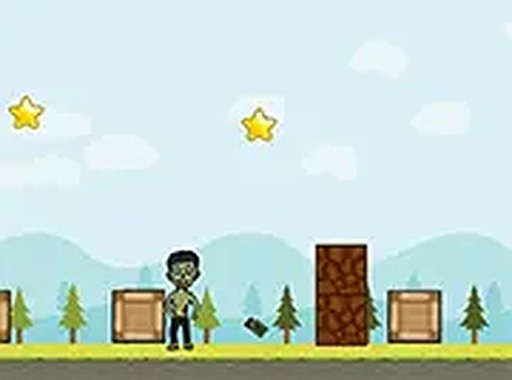
ZomBlast is a family-friendly online action game that puts you in a simple yet engaging situation: zombies are moving toward you, and your only defense is a supply of grenades. The game runs directly in your browser as an HTML5 experience, so there is no need to install any software. It works smoothly on both desktop computers and mobile devices. The core concept is straightforward: aim carefully, release your grenade at the right moment, and stop the zombies before they reach you. This makes ZomBlast a perfect choice for quick gaming sessions during a break or while waiting. The game is completely free to play and offers a full screen mode for a more immersive view. With its easy-to-learn mechanics, it provides entertainment for players of all ages without any violent or disturbing content.
How to Play
How to play ZomBlast is simple and intuitive. On a desktop computer, use your mouse to aim at the incoming zombies. Click and hold the mouse button to adjust the trajectory of your throw. When you are ready, release the button to launch a grenade toward the zombies. Your goal is to hit them before they get too close. On mobile devices, tap and drag on the screen to aim, then release to throw. The game runs directly in your browser, so there is no app to download. You can also switch to full screen mode for a larger view. Each successful hit helps you survive longer, and the challenge gradually increases as more zombies appear. The controls are responsive and easy to master, making the game accessible for everyone.
Game Features
Game features include free to play with no hidden costs. No downloads are required as the game runs in your browser. It supports both desktop and mobile devices for flexible play. A full screen mode is available for a more focused experience. The mouse controls are simple and precise, allowing for quick aiming and throwing. The game is family-friendly with no violent or inappropriate content.
Tips for Success
Why you will like ZomBlast: It offers a quick, satisfying challenge that is easy to pick up. The simple controls and increasing difficulty keep each session fresh. It is a great way to spend a few minutes without any commitment or cost.